The systems you need. Built for your business.
We use Magnolia Connect AI to build and power the systems your business depends on. Call handling, dashboards, and connected workflows, designed around how you work.
Start with the business. Build the system it needs.
We start with the work you need to get done, the information your team relies on, and the procedures that keep things moving. Magnolia Connect AI is what we use to turn that into a working system.
Use the right information
Your services, operating details, and the information your team needs become the foundation for the system.
Work through your procedures
We map the questions, decisions, responsibilities, and exceptions that determine what should happen next.
Give your team a clear view
Dashboards and queues are built around what people need to see, handle, and follow up on.
Connect the steps
We build the routing, notifications, and handoffs that move information through the agreed workflow.
Built around what needs to happen next.
A caller leaves a message. Someone needs to review it, see the context, and take the next step. We build around that whole process, so the information and the work stay connected.
Different parts. One working system.
Reception, voicemail queues, and message routing belong to the same process. We build the flow around how callers should be handled and what your team needs afterward.
A useful view of the work in front of your team, with the context, ownership, and status needed to decide what to do next.
Connect intake, routing, notifications, and follow-up around your procedures. The scope is based on the work you need the system to support.
The dashboard changes with the business.
Magnolia Connect AI is the platform underneath. What your team sees is built around your calls, priorities, procedures, branding, and next steps.
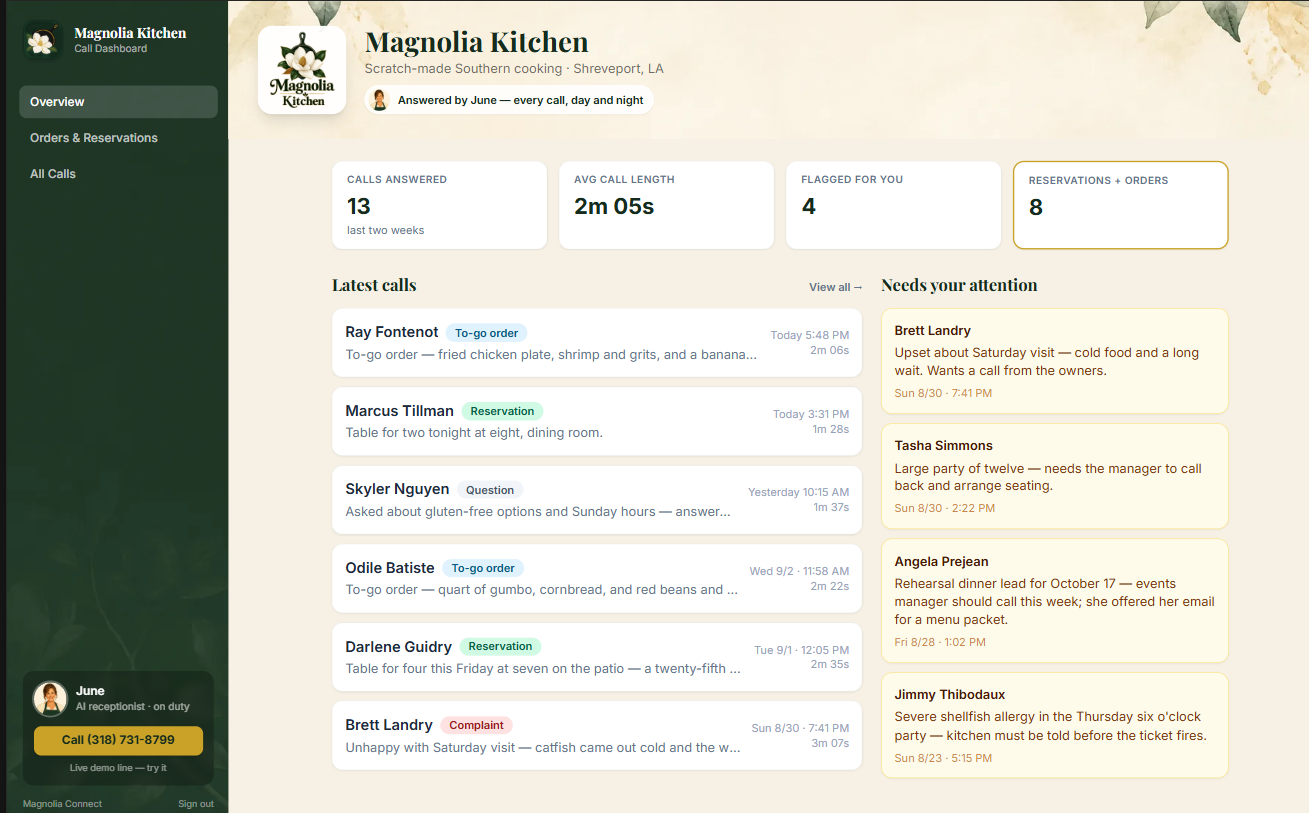
Magnolia Kitchen
Orders, reservations, guest questions, and flagged conversations stay in one restaurant-specific view.
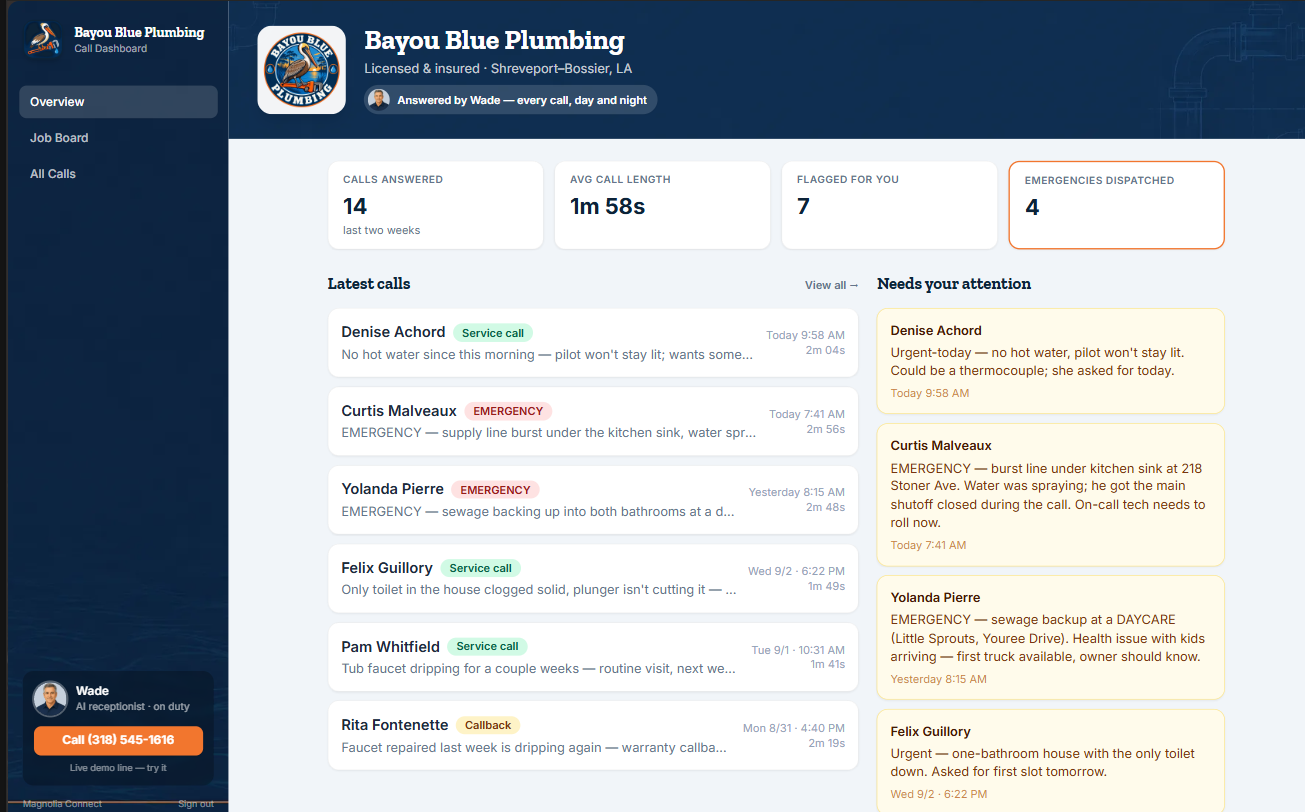
Bayou Blue Plumbing
Service calls, emergencies, dispatches, callbacks, and the job board take priority for the office.
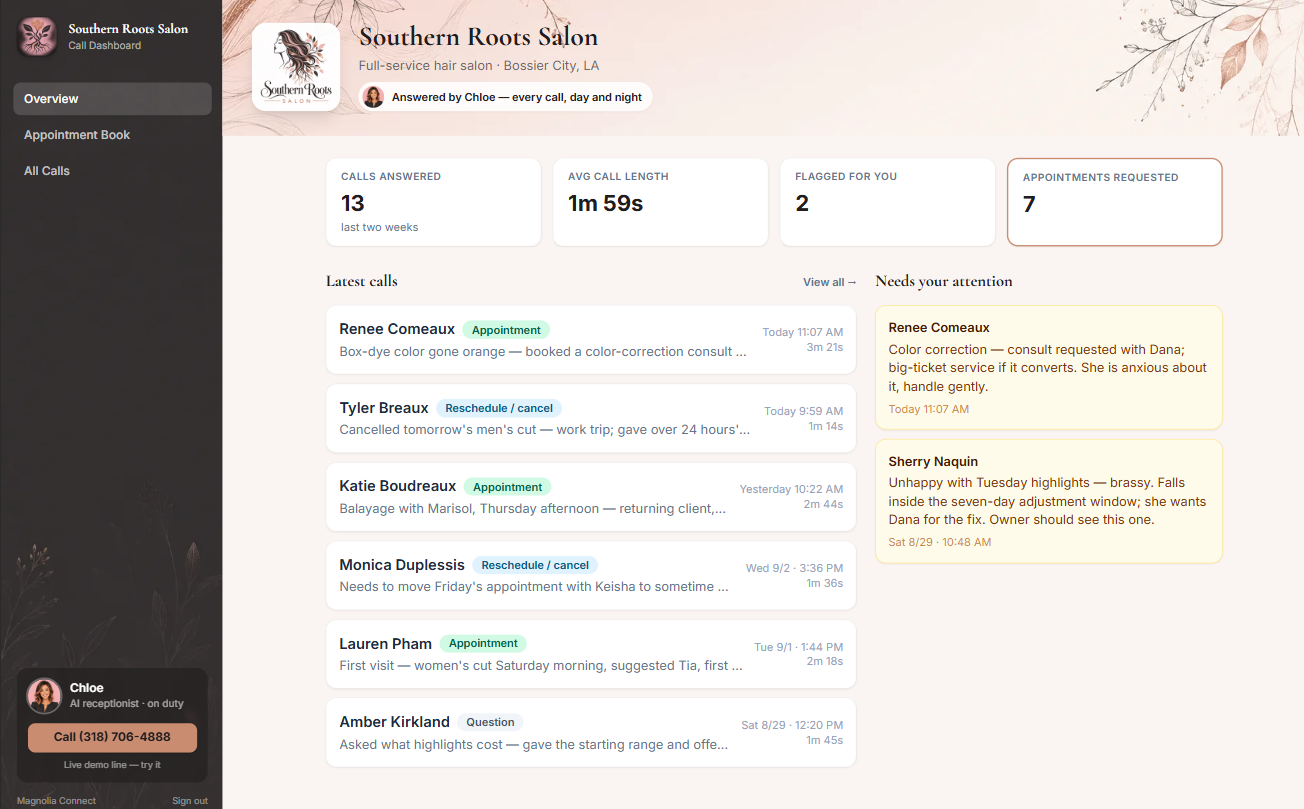
Southern Roots Salon
Appointments, rescheduling, cancellations, and client follow-up shape the view and workflow.
Working interface examples shown with demonstration data. Select any dashboard to view it full size.
Built around the way you already operate.
Learn the business
We learn what your team does today, what information it uses, and where the work gets held up.
Map the work
We agree on the scope, map the workflow, and identify the information, decisions, and handoffs the system needs to support.
Build the system
We use Magnolia Connect AI to build the call handling, dashboards, and connected workflows included in your project.
Test and refine
We test realistic situations with you, refine the details, and prepare your team to use the system.
What does your business need to do better?
Tell us what your team depends on, what takes too much time, or where information gets lost. We’ll work through what a useful system would look like.
Email for more information →The system’s capabilities depend on the agreed scope, connected tools, and, where relevant, your phone setup. Call recording and transcription should be configured in accordance with applicable consent and privacy requirements.